Does ChatGPT Cite Your Website? Here's How to Find Out
You've spent years building a website that ranks on Google. You publish
regularly, you've earned backlinks, and your traffic holds steady. But
lately you've noticed something unsettling: when you ask ChatGPT a
question that your site answers perfectly, it gives the answer without
mentioning you at all. Meanwhile, it cites a Forbes article from 2022
and a Reddit thread.
So does ChatGPT even know your site exists? And if it does, why isn't
it citing you?
This guide explains exactly how ChatGPT citation works, how to find out
whether your site is being cited right now, and what the difference is
between a brand mention and an actual citation. No nonsense — just the
answers site owners need.
First: ChatGPT Operates in Two Completely Different Modes
Before you check anything, you need to understand one critical
distinction that most guides skip over.
Mode 1: Training data only. When ChatGPT answers from its training
data — everything it learned before its knowledge cutoff — it does not
fetch live websites. Any "sources" it mentions in this mode may be
fabricated. Real links to real content are not being pulled. This is
where hallucinated citations come from.
Mode 2: Web browsing / Search mode. When ChatGPT searches the web to
answer a question, it sends a crawler to fetch current pages and can
cite them with real links. This is where actual citations happen. You
can tell which mode is active by looking for a "Searched the web"
indicator or a Sources panel in the response.
If you are trying to get cited, Mode 2 is the only one that counts.
Everything else is the AI paraphrasing things it learned months or
years ago.
How to Check If ChatGPT Is Citing Your Site Right Now?
There are three methods, ranging from free-and-manual to automated.
Method 1: Ask ChatGPT directly (free, takes 10 minutes)
Open ChatGPT — make sure web search is enabled, which it is by default
in most current plans — and run prompts that reflect how real users ask
about your topic.
Be specific. Don't search your brand name, search the problem your
site solves.
For example, if you run a food blog focused on batch cooking:
"What are the best batch cooking methods for beginners?"
"How do I meal prep a full week of lunches?"
"Which sites have good guides on batch cooking for families?"
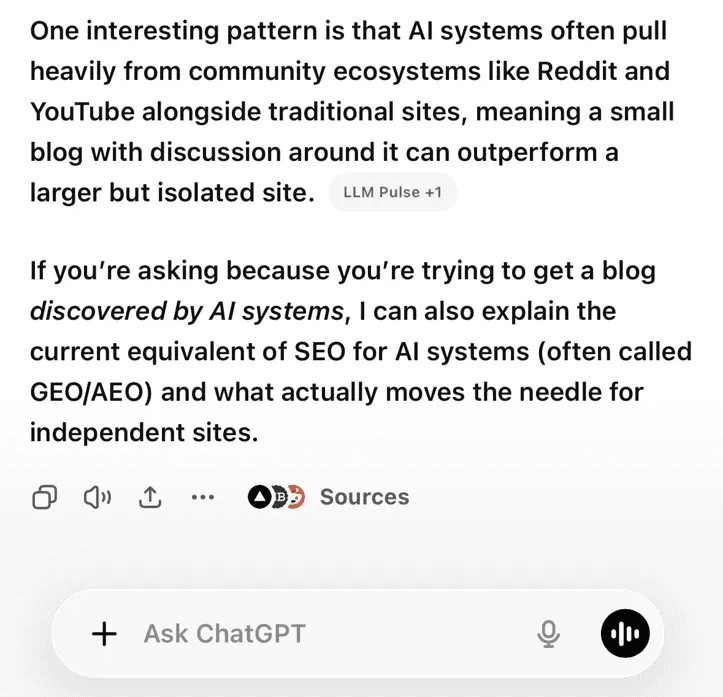
After each response, check two things. First, does a Sources panel
appear? If no sources are shown, ChatGPT answered from training data
and no live citation occurred. Second, if sources do appear, is your
domain listed?
Run this in incognito mode so previous chat history does not influence
the results.
Method 2: Check your server logs for AI crawler visits
This is the most reliable method, and it is the approach tools like
Unsourced are built around.
When ChatGPT cites a page, it first sends a crawler to fetch that page.
That visit appears in your server logs as a request from a user agent
containing ChatGPT-User. If you see those requests, ChatGPT is actively
reading your content — which is a strong signal that citations are
happening or are imminent.
To check manually in your server logs, look for lines containing:
ChatGPT-User
Other AI crawlers to watch for:
GPTBot — OpenAI's training crawler (different from citation crawling)
PerplexityBot — Perplexity AI
ClaudeBot — Anthropic's Claude
Google-Extended — Google's AI products
The distinction matters: GPTBot visits are about future training data.
ChatGPT-User visits are happening because someone asked ChatGPT a
question that triggered a live lookup of your page. That is a citation
event.
If you are on a paid WordPress tier or a standard hosting setup, most control panels
give you access to raw access logs. If you use a managed host, you may
need to look in the hosting dashboard under "raw logs" or "error logs."
Method 3: Use a monitoring tool
Manual log-checking does not scale. If you want ongoing visibility
rather than a one-off check, several tools now track AI citations
automatically.
The category is young but growing fast. Tools in this space approach
the problem differently — some scan AI outputs for brand mentions,
others monitor at the crawler level like Unsourced does. Both angles
give you useful information, but crawler-level monitoring tells you
what is actually happening to your content before it ever appears in
an AI answer.
The Difference Between a Brand Mention and a Citation
These sound similar but they are not the same thing, and conflating
them leads to wasted effort.
A brand mention is when ChatGPT refers to your company or site by name
in its answer — "According to [YourSite], the best approach is..." —
without necessarily linking to a specific page. This happens more often
than hard citations and is still valuable for brand awareness, but the
user may not click anywhere.
A citation is when ChatGPT links to a specific page on your site in
the Sources panel. The user can see it, click it, and you may get a
direct visit. This is harder to earn and more valuable.
A training data reference is when the model paraphrases your content
without acknowledging you at all. This happens constantly. You will
never know it occurred unless the wording is distinctive enough to
recognise.
When people ask "is ChatGPT citing my site?", they usually mean hard
citations with links. That is the hardest to achieve and the most
worth tracking.
Why Your Site Might Not Be Getting Cited Even If It Ranks on Google
Google and ChatGPT use fundamentally different signals to decide what
to surface. Ranking well in organic search does not translate
automatically into AI citations.
A few common reasons sites that rank well on Google still get skipped
by ChatGPT:
Your content does not answer the question directly enough. ChatGPT
favours pages that front-load a clear, direct answer. Pages that bury
the answer after several paragraphs of context are at a disadvantage
— the AI may move on to a page that gets to the point immediately.
You are not ranking on Bing. ChatGPT's web search relies primarily on
Bing's index, not Google's. A site can rank well on Google and still
have poor Bing visibility, which limits how often ChatGPT finds it in
the first place.
Your domain authority is low relative to cited competitors. AI citation
is heavily concentrated among high-authority domains. Independent sites
can still get cited, but they are competing against default sources like
Wikipedia, Reddit, and major media brands that AI models return to
repeatedly.
Your content is not structured for AI extraction. Dense paragraphs are
harder for AI to parse cleanly than headers, short answers, and lists.
Pages with FAQ schema see meaningfully higher citation rates than those
without.
A Practical Starting Point
If you want to know right now whether ChatGPT is paying attention to
your site, do this:
- Open your server logs and search for ChatGPT-User. If you see
visits, your content is being read.
- Run five topic-level prompts in ChatGPT with web search active.
Record whether sources appear and whether yours is among them.
- Set up ongoing monitoring — either through a tool like Unsourced
or by checking your logs weekly — so you are not relying on
one-off snapshots.
The sites that win AI citation over the next 12 to 18 months will not
necessarily be the ones with the highest Google rankings. They will be
the ones that understood the difference early, tracked it properly, and
structured their content to answer questions directly.
That starts with knowing where you actually stand today.
Unsourced monitors AI bot traffic to your website in real time, so you
can see exactly which pages are being read by ChatGPT, Perplexity, and
other AI crawlers — and when. Start monitoring your site free for 14
days at unsourced.app.